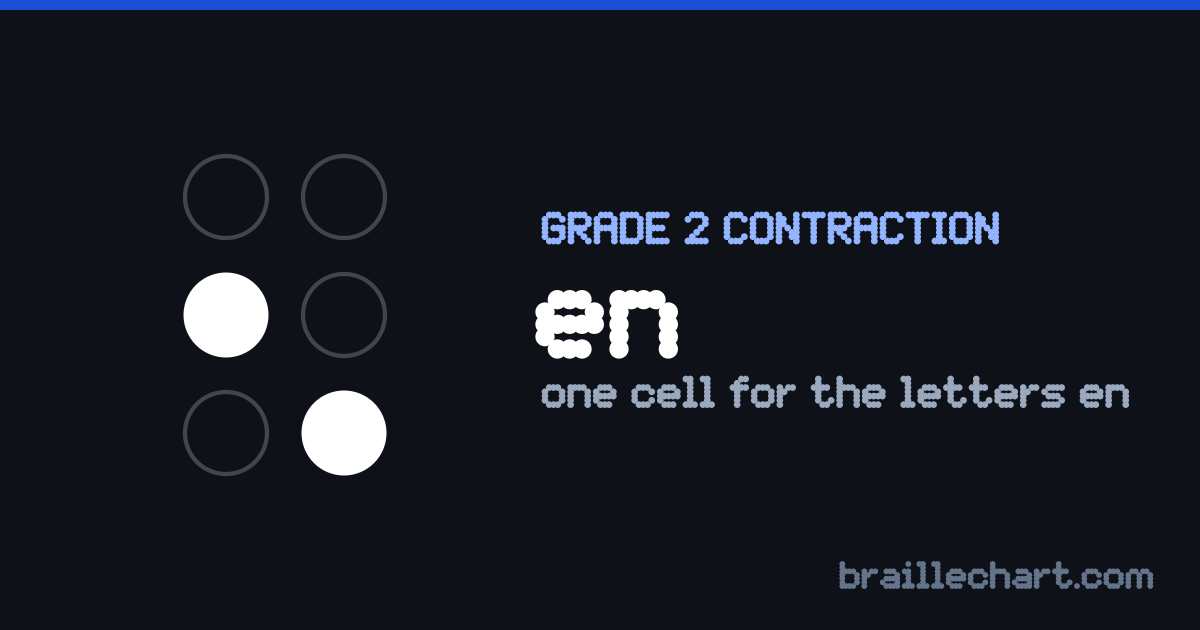
Grade 2 contraction
The “en” contraction in braille
One cell for the letters “en” wherever they appear together in a word.
Dots 2-6
Unicode ⠢ — replaces the letters en
How to recognise it
Dots 2 and 6 — a lower sign, and the letter e shifted down one row. It may open a word, as in end and enter.
It is the letter e moved down a row
Take the cell for e and slide every dot down one position, and you get this contraction. The lower signs were all built that way, which is why they are quicker to learn than they look — the shapes are ones you already know, sitting lower in the cell. Most of the punctuation marks come from the same transformation.
Words that use it
Each of these is shorter in Grade 2 than in Grade 1, because the letters “en” collapse into a single cell wherever the rules allow it.
| Word | In braille (Grade 2) | Grade 1 | Grade 2 |
|---|---|---|---|
| open | 4 cells | 3 cells | |
| seven | 5 cells | 4 cells | |
| enter | 5 cells | 3 cells |
Where it does not apply
These are the ones that catch people out — words that contain the letters but do not take the contraction. Knowing why is more useful than memorising the list.
| Word | Written as | Why |
|---|---|---|
| management | the -ment ending swallows the e-n, so the en sign never appears | |
| children | the whole word is the shortform chn, which never spells the e-n at all |
Contractions it is confused with
These differ from “en” by a single dot, which is where reading errors actually happen. Under a fingertip a missing or extra dot is far easier to miss than a completely different shape, so these are the ones worth drilling against each other.
Check your own text
Type anything into the translator with Grade 2 selected and this cell will appear wherever the rules allow it. The full contraction list shows the other eighteen, and Grade 1 versus Grade 2 explains when contracted braille is the right choice at all.
The “en” cell as an image
One cell — dots 2 and 6 — as a picture for a handout or a slide.